Overview
Español Diario is a personal Spanish learning app I designed and directed to explore AI-assisted product creation. I wanted to build something genuinely useful for my own language learning, and to show how design skills, clear prompting, and AI agents can turn an idea into a working prototype in just a few days.
Establishing design goals
- G1 Make daily practice quick, focused, and fun
- G2 Support learners from beginner to advanced
- G3 Keep it private and simple, with no sign-up or backend
The approach
I started by researching popular language learning products and gathering visual references for flashcards, quizzes, mobile navigation, and progress tracking. As lead designer and project director, I defined the experience, chose the visual direction, evaluated each iteration, and prompted the next round of improvements.
I used Cursor with GPT-5.6 Sol to “vibe code” the app as a browser-based mobile demo with a polished iPhone-style interface.
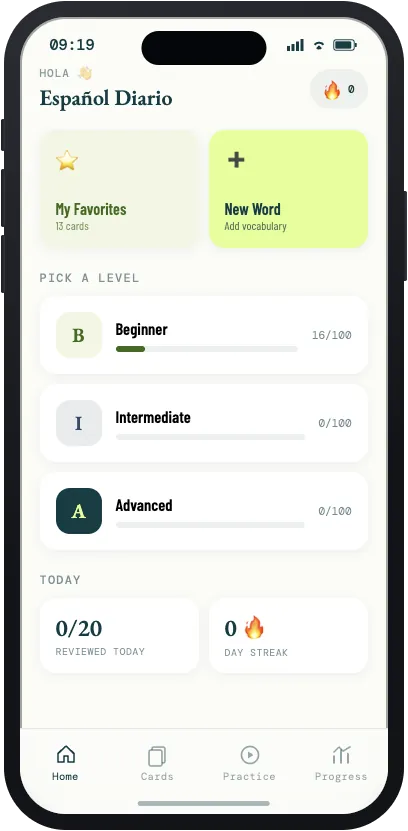
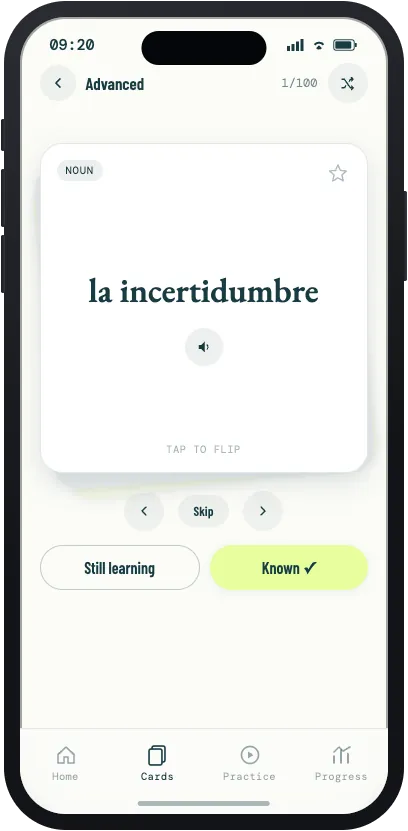
Three levels of vocabulary
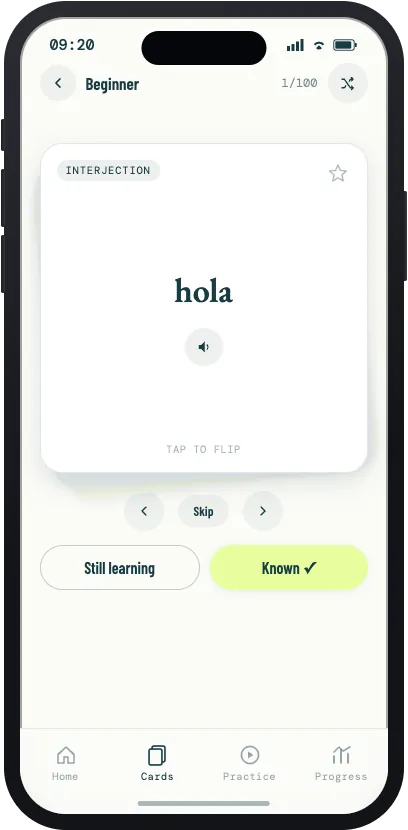
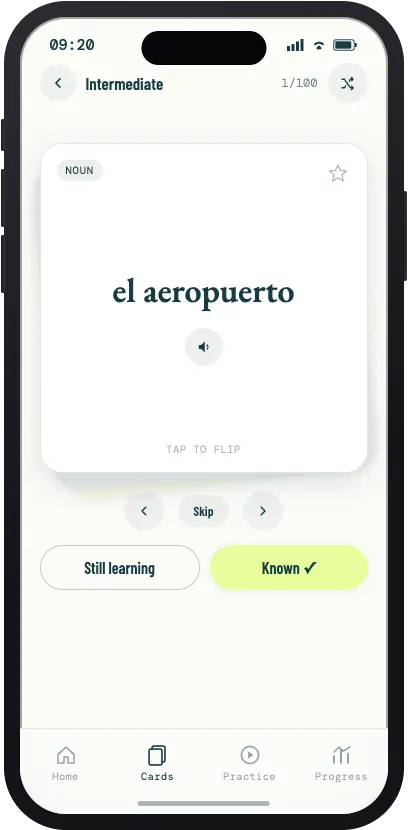
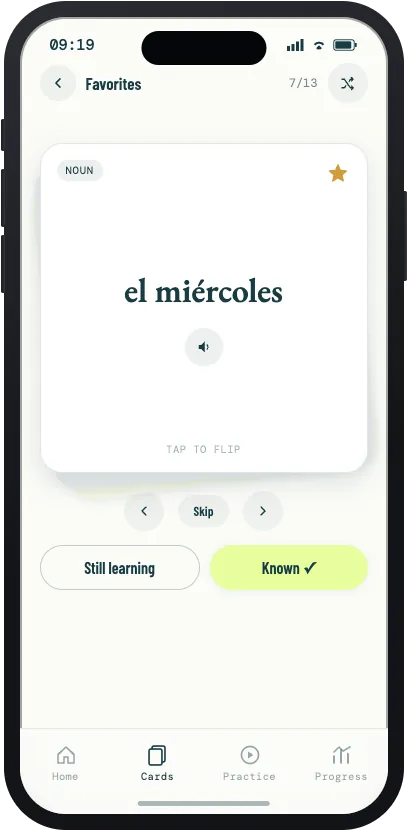
The 300 cards are organized into beginner, intermediate, and advanced levels. Each card can be flipped, heard aloud, marked as known or still learning, and saved to favorites.
Three ways to practice
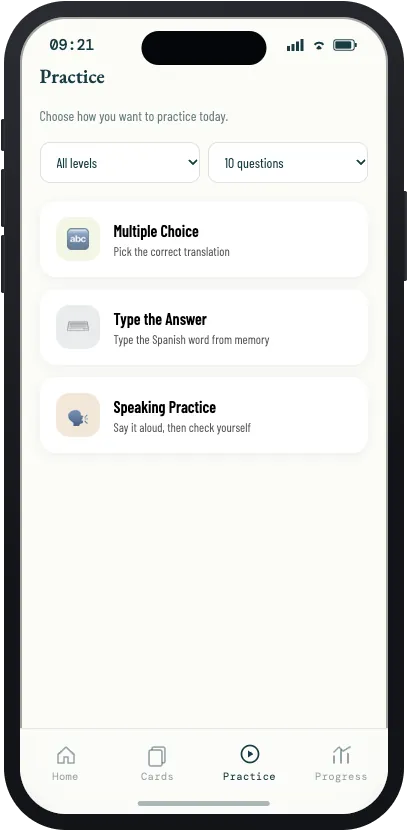
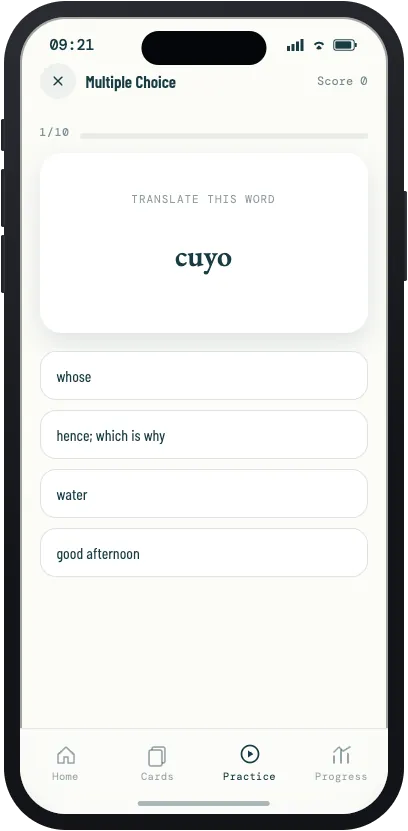
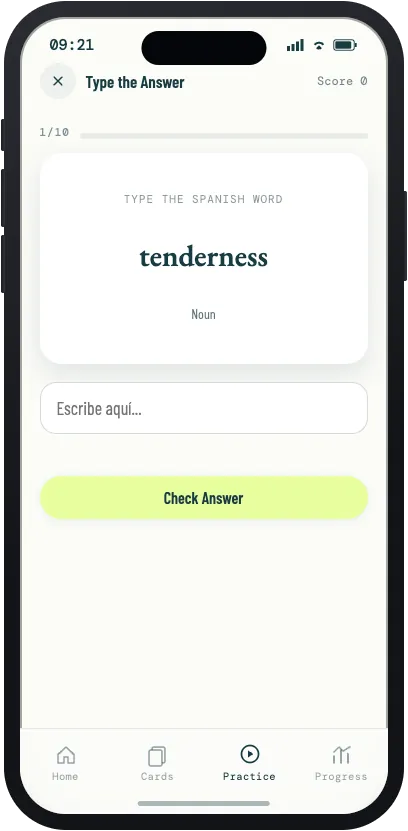
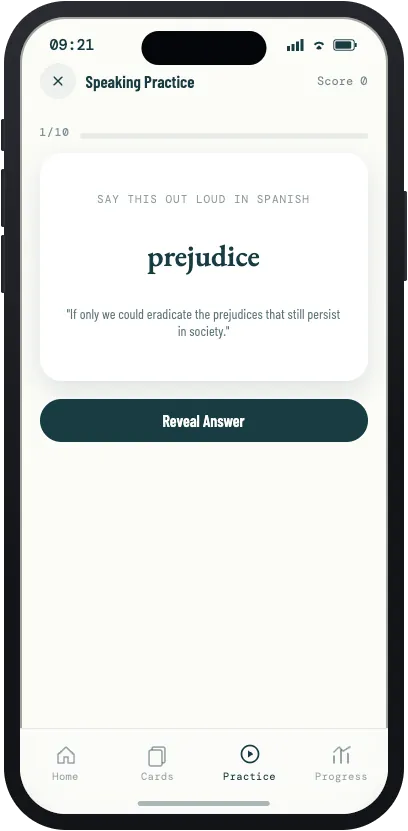
Learners choose a level and a number of questions, then practice with multiple choice, by typing the Spanish word from memory, or by saying it aloud and checking themselves.
Making it personal
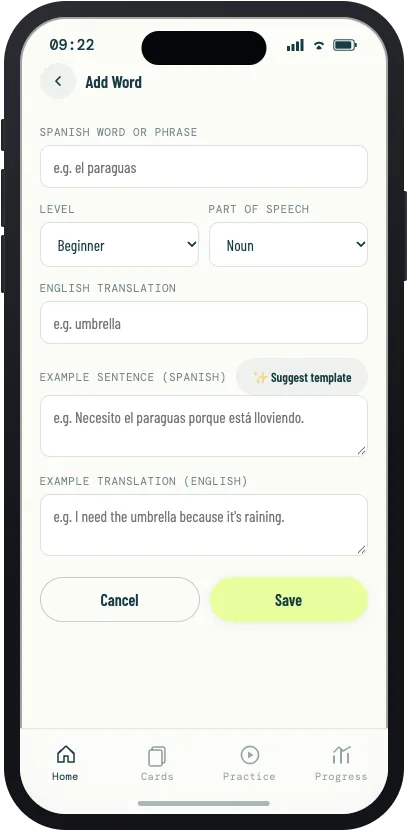
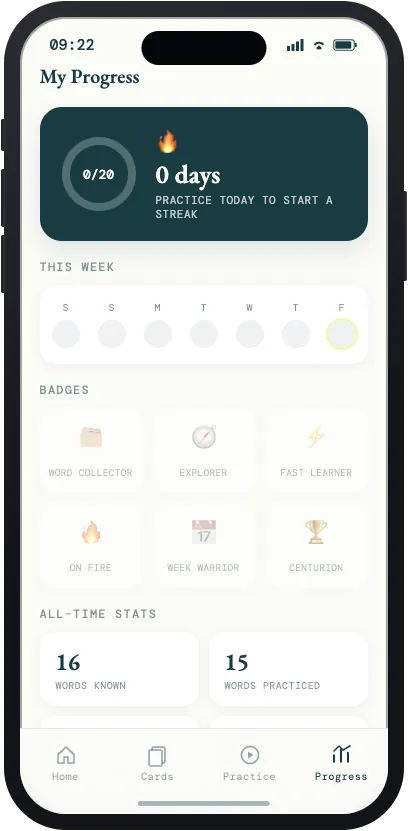
Learners can add their own words, with a helper that suggests an example sentence. Daily goals, streaks, badges, and all-time stats make progress visible and keep people coming back.
Behind the scenes
One of the most interesting parts was using parallel AI agents to generate a separate vocabulary set for each level at the same time. Their work was then combined and checked for consistent formatting, unique IDs, complete translations, and duplicate words.
The app is intentionally built with plain HTML, CSS, and JavaScript. It needs no backend, account, API key, or build process. Progress and custom words stay private in the browser, with JSON export and import for backups, and pronunciation uses the browser’s built-in speech features.
I reviewed and tested every iteration myself, and made direct CSS changes when that was faster and more token-efficient than prompting another revision. That balance of creative direction, delegating to agents, and hands-on refinement was central to the workflow.
Outcome and what’s next
The most rewarding result was seeing how accurately the AI captured my vision. The finished prototype feels polished, engaging, and genuinely fun to use. More importantly, the project sharpened my ability to communicate design intent clearly and work efficiently with AI agents.
Next, I’m inviting Spanish speakers to review the vocabulary and overall learning experience. Their feedback will shape how the project evolves, and whether it becomes a native app for the App Store and Google Play.
Explore the live work
These are the working prototypes and research sites from this project. Each one opens in a new tab.